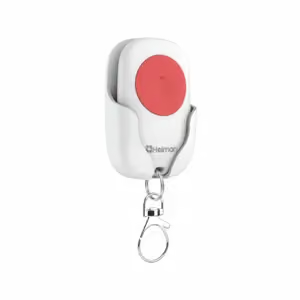
- Power supply
- DC3 V (Lithium Battery)
- Wireless protocol
- Zigbee
- Dimensions
- 34.5 × 57.5 × 13 mm
Price on request
3 products
Price on request
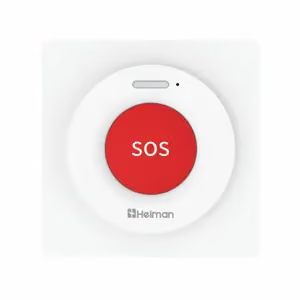
Price on request
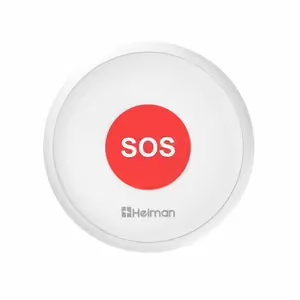
Price on request
Delivery, installation, setup and warranty service from LAGI.
Describe the property and what needs protecting. We will send you the cost of equipment and installation.
Smart Emergency SOS Buttons are compact wireless devices designed for emergency help call with one button press – ideal for elderly people, children, people with disabilities, people living alone in apartments, houses, hospitals, nursing homes in Tbilisi and throughout Georgia. These buttons provide quick and simple help call – press button → all family members receive SOS notification on smartphone → they immediately come to help. LAGI offers smart emergency buttons with full functionality: WiFi/Zigbee connection (mobile app), compact size (30-50mm, 20-50g), one button (simple use), multiple notifications (to all family members), sound signal (beeper), LED indicator (status), battery power (1-2 years), waterproof (IP65), wall mounting or portable (pendant, pocket), integration with alarm/siren. All models comply with CE standard.
Smart emergency button works very simply – setup: connect button to WiFi/Zigbee network (mobile app Tuya, Smart Life), add phone numbers/emails of family members (who will receive SOS notification), install button in convenient place (by bed, in bathroom, on wall, or wear on pendant/in pocket). Usage: when help needed → press button (1× or 2× press, depends on parameters) → button sends SOS signal → all family members receive notification on smartphone (Push Notification + SMS + call), notification contains: "SOS! [Name] needs help!", time and date, location (if button has GPS). Additional functions: sound signal (beeper, so person knows signal sent), integration with alarm (SOS → siren turns on), integration with smart lights (SOS → all lights turn on).
WiFi emergency button – directly connects to WiFi router (2.4GHz), no additional devices required (hub), simple setup, more power consumption (battery 6-12 months), ideal for small apartments (1-2 rooms). Zigbee emergency button – connects to Zigbee hub (requires Zigbee Gateway), low power consumption (battery 1-2 years), Mesh network (buttons amplify each other's signal), more stable connection, ideal for large houses (3+ rooms), can connect multiple buttons to one hub (100+ buttons). Recommendation: small apartment (1-2 rooms) → WiFi button (simple, no hub required), large house (3+ rooms) → Zigbee button (better connection, long battery life). If you already have Zigbee smart home system → definitely Zigbee button (integration).
Yes, smart emergency button can integrate with security alarm and other smart home devices – integration with alarm: connect emergency button to same smart home system (Tuya, Smart Life) as alarm, create automation scenario: when emergency button pressed → turn on alarm siren (110dB, inside and outside), turn on all lights (visual signal), send SOS notification to all family members, start video recording (smart cameras). Integration with smart devices: turn on all lights (visual signal), open all electronic locks (quick evacuation), send voice message to smart speakers ("SOS! Help needed!"). Application: elderly person fell → pressed emergency button → siren turned on (neighbors will hear), all lights turned on (visual signal), family received SOS notification, camera started recording. This allows creating complete security system – emergency button + alarm + smart home.