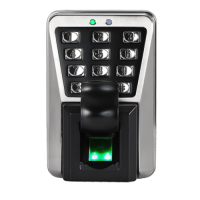
Smart Emergency SOS Buttons — In Tbilisi
Smart Emergency SOS Buttons are compact wireless devices designed for emergency help call with one button press — ideal for elderly people, children, people with disabilities, people living alone in apartments, houses, hospitals, nursing homes in Tbilisi and throughout Georgia. These buttons provide quick and simple help call — press button → all family members receive SOS notification on smartphone → they immediately come to help. LAGI offers smart emergency buttons with full functionality: WiFi/Zigbee connection (mobile app), compact size (30-50mm, 20-50g), one button (simple use), multiple notifications (to all family members), sound signal (beeper), LED indicator (status), battery power (1-2 years), waterproof (IP65), wall mounting or portable (pendant, pocket), integration with alarm/siren. All models comply with CE standard.
Main Applications of Emergency Buttons
- Elderly people — fall, heart attack, stroke, need help → press button → family receives SOS.
- Children — dangerous situation, lost, fear → press button → parents receive SOS.
- People with disabilities — need help, illness → press button → caregiver receives SOS.
- People living alone — accident, illness → press button → relatives receive SOS.
- Panic situation — theft, attack, dangerous situation → press button → alarm turns on, family receives SOS.
- Hospitals/nursing homes — patient needs help → press button → medical staff receives SOS.
FAQ — Frequently Asked Questions
Smart emergency button works very simply — setup: connect button to WiFi/Zigbee network (mobile app Tuya, Smart Life), add phone numbers/emails of family members (who will receive SOS notification), install button in convenient place (by bed, in bathroom, on wall, or wear on pendant/in pocket). Usage: when help needed → press button (1× or 2× press, depends on parameters) → button sends SOS signal → all family members receive notification on smartphone (Push Notification + SMS + call), notification contains: "SOS! [Name] needs help!", time and date, location (if button has GPS). Additional functions: sound signal (beeper, so person knows signal sent), integration with alarm (SOS → siren turns on), integration with smart lights (SOS → all lights turn on).
WiFi emergency button — directly connects to WiFi router (2.4GHz), no additional devices required (hub), simple setup, more power consumption (battery 6-12 months), ideal for small apartments (1-2 rooms). Zigbee emergency button — connects to Zigbee hub (requires Zigbee Gateway), low power consumption (battery 1-2 years), Mesh network (buttons amplify each other's signal), more stable connection, ideal for large houses (3+ rooms), can connect multiple buttons to one hub (100+ buttons). Recommendation: small apartment (1-2 rooms) → WiFi button (simple, no hub required), large house (3+ rooms) → Zigbee button (better connection, long battery life). If you already have Zigbee smart home system → definitely Zigbee button (integration).
Yes, smart emergency button can integrate with security alarm and other smart home devices — integration with alarm: connect emergency button to same smart home system (Tuya, Smart Life) as alarm, create automation scenario: when emergency button pressed → turn on alarm siren (110dB, inside and outside), turn on all lights (visual signal), send SOS notification to all family members, start video recording (smart cameras). Integration with smart devices: turn on all lights (visual signal), open all electronic locks (quick evacuation), send voice message to smart speakers ("SOS! Help needed!"). Application: elderly person fell → pressed emergency button → siren turned on (neighbors will hear), all lights turned on (visual signal), family received SOS notification, camera started recording. This allows creating complete security system — emergency button + alarm + smart home.