How to choose security cameras for a house or apartment
Where to put cameras around a house or apartment, what resolution and night vision you need, Wi-Fi or cable, and where to store recordings.
6 min read
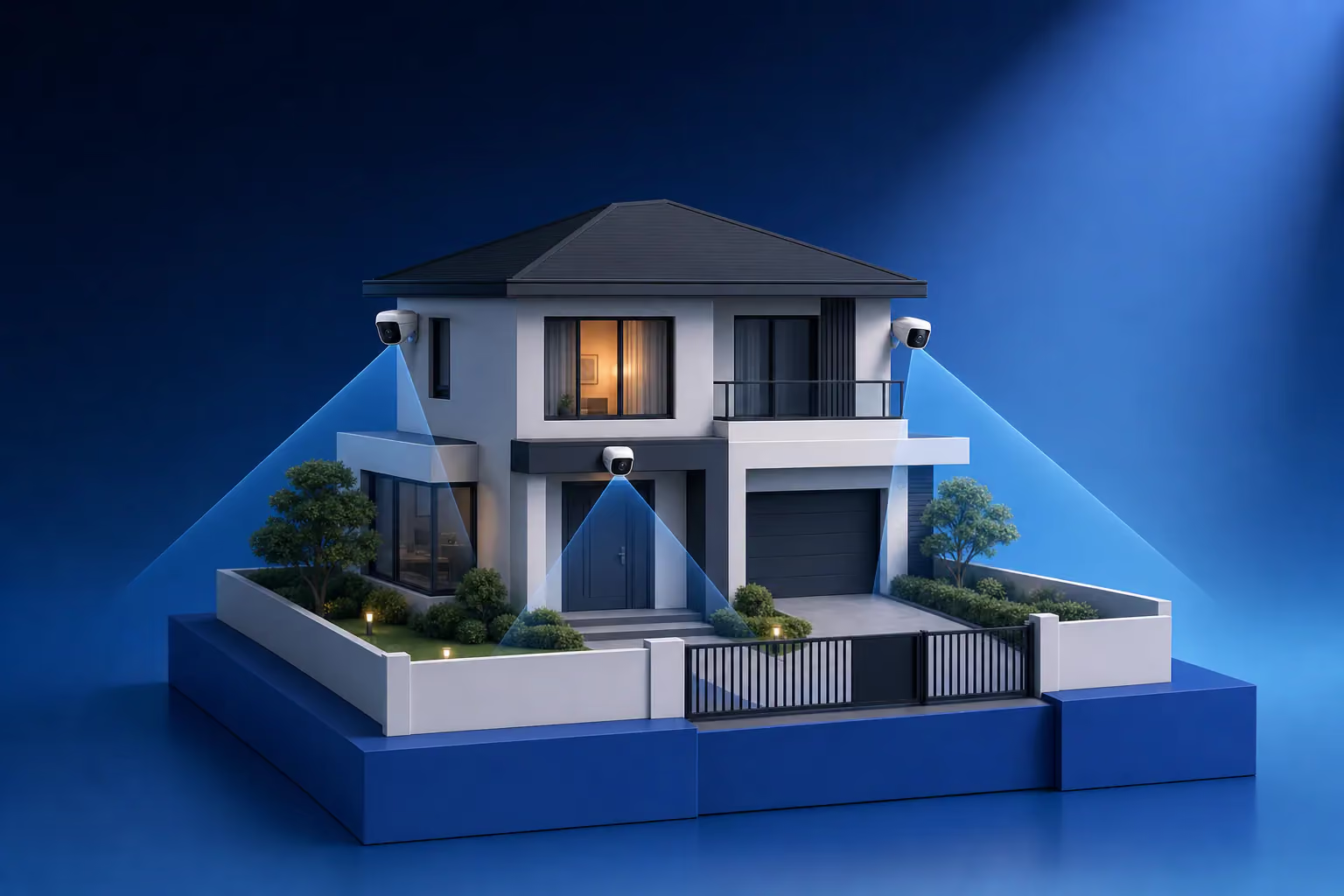
To choose security cameras for a house or apartment, start with a plan: which spots have to be in view, and what you need to make out on the recording. Around a house that usually means the garden gate, the driveway gates, the front door, the yard and the back of the plot. In an apartment it means the front door from inside or the landing outside it. The plan decides the camera type, the resolution and how it connects. The exact model comes last.
Where cameras go around a house
| Spot | What should be visible | Suitable camera |
|---|---|---|
| Garden gate and driveway gates | A visitor's face, a number plate | An outdoor 4 MP camera with a narrow field of view, aimed at the entrance |
| Front door | The face of whoever is at the door, a parcel left behind | A camera under the porch roof or a video doorbell |
| Yard and boundary | Movement along the fence and across the yard | A wide-angle camera with line-crossing analytics |
| Back door, garage, outbuildings | Who approaches the door or the car | An outdoor camera with infrared illumination |
A camera on the corner of a house covers two walls at once, so corners often see more than the middle of a façade. Mount outdoor cameras at 2.5–3 m: high enough to be out of reach, low enough that faces do not turn into the tops of heads. A camera that can be knocked aside with a stick is the first one to be turned away.
What to install in an apartment
An indoor camera in the hallway aimed at the front door shows everyone who comes in, including anyone with a key. A camera on the landing is more useful still, because it sees a person before they touch the lock. The landing belongs to the building's common property, so agree its installation with your neighbours or the owners' association. Instead of a landing camera you can fit a digital peephole or a video door phone that records. Our article how to choose a video door phone covers those.
For keeping an eye on a child or a pet, pan and tilt Wi-Fi cameras with two-way audio work well. Good models have a privacy mode that closes the lens while you are at home. In living rooms, set recording to a schedule so it runs only while you are out.
Resolution and field of view
The lens focal length sets the field of view. A 2.8 mm lens covers about 100° horizontally and suits a yard. A 4 mm lens covers about 80° and suits an entrance. 6 mm and longer give a narrow view with detail at a distance, which is what a gate or driveway needs.
For a general view of the yard, 2 MP is enough. To recognise a face at the gate you need 4 MP and a narrow lens. Distance matters more than megapixels. A 4 MP camera three metres from the gate shows a face better than an 8 MP camera at the far end of the plot, because more pixels land on the face.
Night vision
Most cameras switch on infrared illumination at night and produce a black-and-white picture. The infrared range is listed in the specification, and it should be compared with the real distance to the gate or the fence. An infrared camera behind a window is useless at night: the light bounces off the glass and washes out the image. Mount it outside.
Full-colour night cameras use a more sensitive sensor and a warm white light. The recording shows the colour of clothes and cars, and the light coming on puts off unwanted visitors. Bear in mind that any light attracts insects, and a cobweb across the lens sets off false motion alerts.
Cable, Wi-Fi or 4G
| Connection | When it fits | What to keep in mind |
|---|---|---|
| Cable with PoE | A house, outdoor cameras, systems of four cameras or more | Cable has to be run, but power and video share one line |
| Wi-Fi | An apartment, one or two indoor cameras | Needs a socket nearby, and concrete walls weaken the signal |
| 4G with a SIM card | A country house or plot with no internet | Needs a mobile plan and steady coverage on site |
For a house we nearly always recommend cable. A PoE camera takes power over the same twisted pair that carries its video, and it does not drop out when a neighbour's router crowds the airwaves. Our article what is PoE explains how this works. If you are still choosing between technologies, read our comparison of IP vs analog cameras.
Where to store recordings
A memory card in the camera is the simplest option, but a thief takes it along with the camera. Cloud recording keeps footage outside the house, but it needs a subscription and a stable internet connection. For a house with four or more cameras, a network video recorder is more practical. It keeps every camera's footage on a hard drive, finds events by time and sends alerts to the app. Put the recorder in a cupboard or a storeroom where it cannot be seen from the door.
Privacy and secure access
A camera should not look into the neighbours' windows or onto their property. If part of a neighbour's yard ends up in view, cover it with a privacy mask in the camera settings. Change the default passwords on the cameras and the recorder, turn on two-factor login in the app and keep the firmware updated. A camera left on its default password is open to anyone who finds it on the internet.
How we set up home CCTV
A LAGI engineer walks round the house or apartment with you and marks where each camera goes and what it should see. Site surveys in Tbilisi are free. We then run the cable, install the cameras and the recorder and set up the app on your phones. Ready-made options for a house are on our private house security page, and the work itself is described under CCTV installation. To find out the cost for your home, send a quote request.
Frequently asked questions
How many cameras does a house need?
At least one camera for every way onto the plot and into the house, plus one for the yard. A house with a garden gate, driveway gates, a front door and a back door already needs five. If the plot is large or there are blind spots along the fence, wide-angle cameras go on the corners of the house. The exact number is set during the site survey.
Do home cameras work without internet?
Yes. Cameras record to the recorder or to a memory card over the local network, and the internet is only needed for phone viewing and alerts. At a country house or a plot with no internet at all, a 4G camera with a SIM card or a 4G router with ordinary cameras does the job.
Which cameras are best for outdoors?
Choose cameras rated at least IP66, with a metal housing and an operating temperature range that covers both winter and summer where you live. The infrared range should exceed the distance to the gate or the fence. Outdoors, a wired PoE connection is better, because Wi-Fi from inside the house reaches unreliably through the walls.
Can I watch my home cameras on my phone?
Yes. The recorder or camera connects to your home router, and you install the maker's app on your phone. The app shows the live picture, the recordings and event alerts. Each family member gets their own login, with separate rights to view recordings.